
WEBSITE WALKTHROUGH / RESTAURANT & CAFE POS PLATFORM
Orderly POS
Make a connected hospitality platform easier to understand.
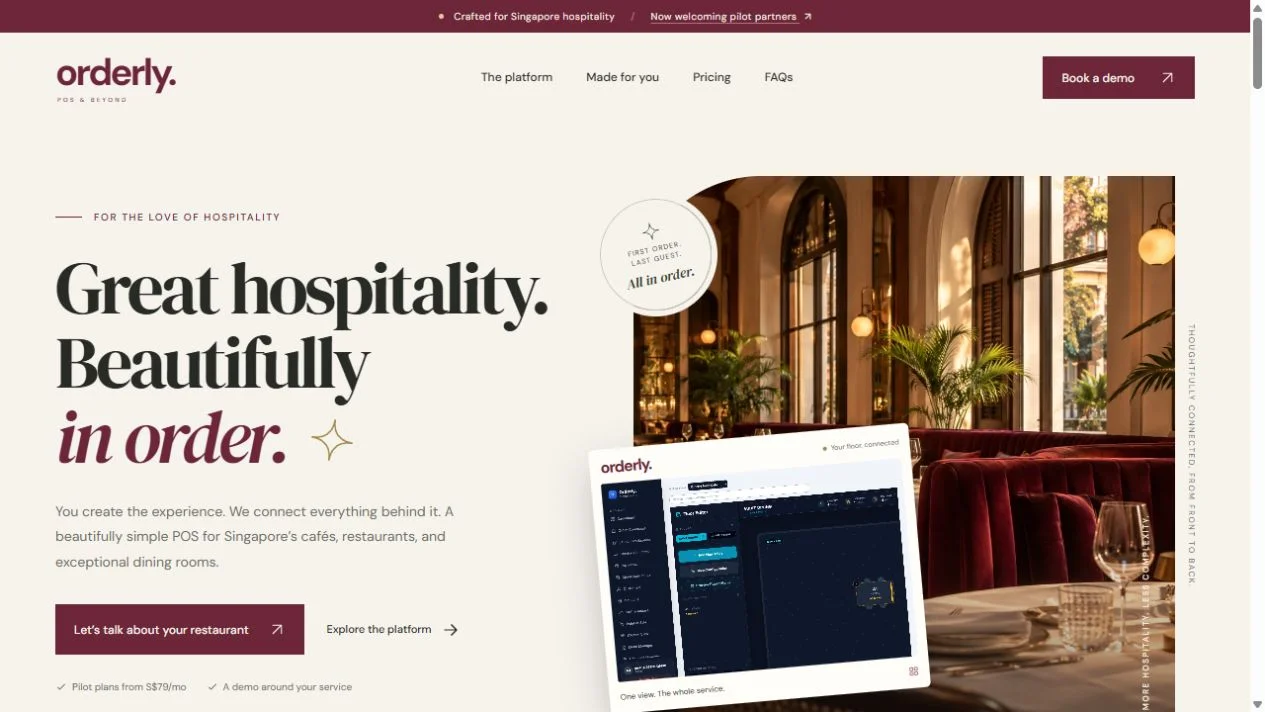
Orderly POS uses a hospitality-focused website to introduce its restaurant and cafe platform. It combines product views, service scenarios, indicative pilot pricing and a personal demo enquiry form.
The visitor's task
A restaurant operator needs to understand how a platform fits the counter, floor and kitchen before discussing a pilot. A long feature list alone does not explain those relationships. The website groups capabilities around recognisable parts of hospitality service.
A closer look at the website
The site introduces cafe, restaurant and fine-dining scenarios, then uses feature tabs to show the floorplan, kitchen, orders and insights. Product screenshots are explicitly labelled as using synthetic demo data. Pilot plans, scope notes and FAQs help visitors prepare for a walkthrough rather than implying that every requirement is already included.
- Tabbed product views with clearly labelled demo data
- Hospitality scenarios and connected workflow explanations
- Indicative pilot plans, FAQs and a personal demo request form
The design takeaway
For a software product website, showing how features connect can be more useful than presenting them in isolation. A demo enquiry gives visitors a way to test the fit against their own operation.
This walkthrough describes the published website and its visitor journey. It is not a client testimonial or a report of measured commercial results.
Planning your own project? Explore our website design packages or custom web development.